

🎯 What are Themes?
Themes are custom stock lists created using natural language. Instead of complex screening criteria, just describe what you want. Think of them as:- Smart stock lists
- Natural language screener
- Custom watchlists on steroids
- AI-powered stock collections
💡 How Themes Work
Traditional Stock Screener:
Ape AI Themes:
🎨 Types of Themes
1. Quick Themes (Pre-Built) 🚀
Suggested themes created by Ape AI:- Tech Titans - Large cap tech leaders (AAPL, MSFT, GOOGL…)
- Dividend Aristocrats - 25+ years of dividend growth
- EV Revolution - Electric vehicle companies
- AI & Machine Learning - AI-focused stocks
- Clean Energy - Solar, wind, renewable energy
- Biotech Movers - High-growth biotech
- Value Plays - Undervalued quality stocks
- Meme Stocks - WSB favorites (GME, AMC…)
2. Custom Themes (You Create) 🎨
Your own custom lists: Examples:- “Stocks under $50 that pay dividends”
- “Tech companies growing revenue over 30% YoY”
- “Stocks Warren Buffett owns”
- “Companies with earnings next week”
- “Stocks breaking all-time highs”
- “Reddit r/WallStreetBets trending stocks”
📱 Where to Find Themes
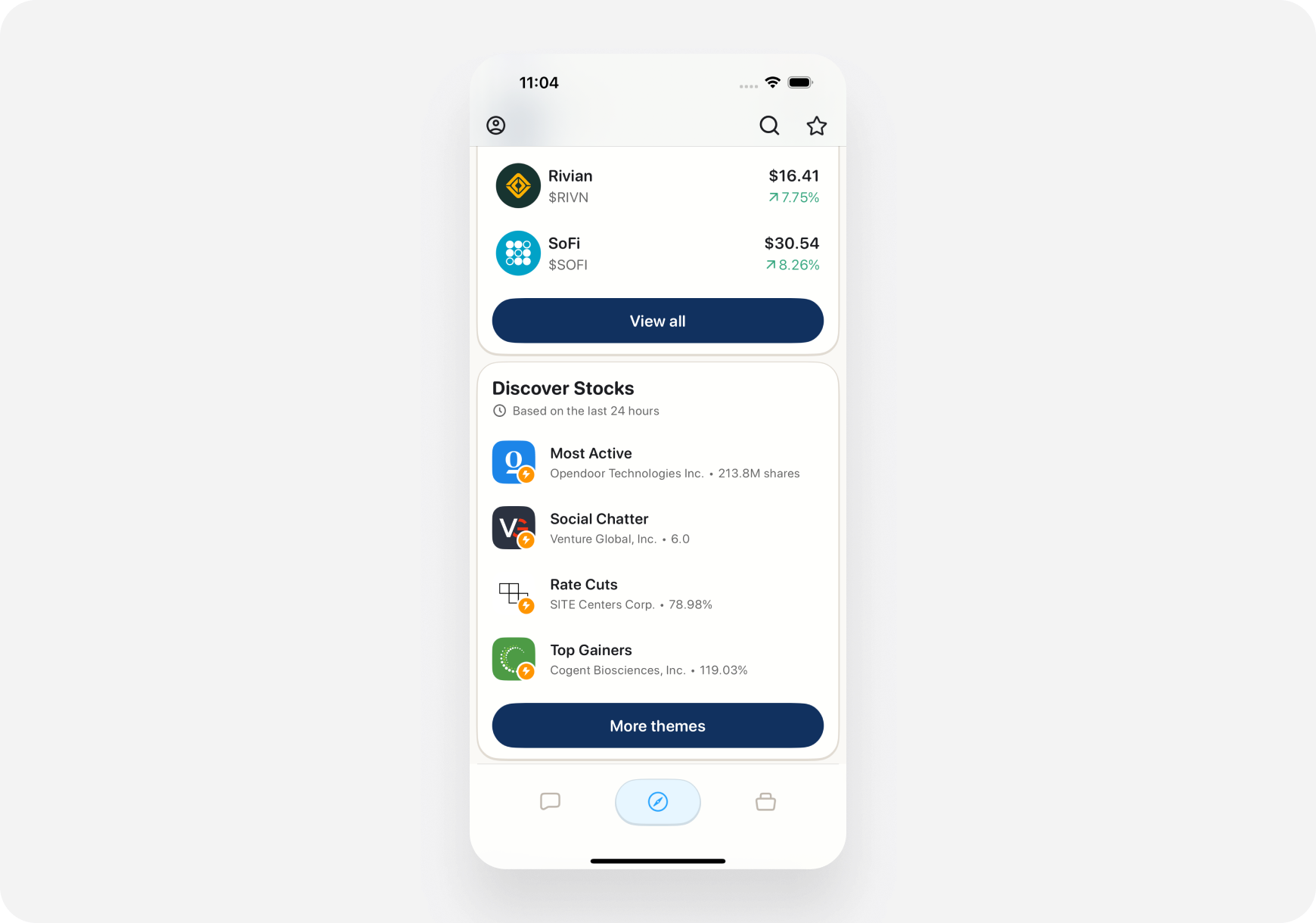
iOS
- Open Discover tab
- Swipe right on top carousel until you see “Themes”
- Or scroll to “Your Themes” section
- Tap a theme to view stocks in it
Web
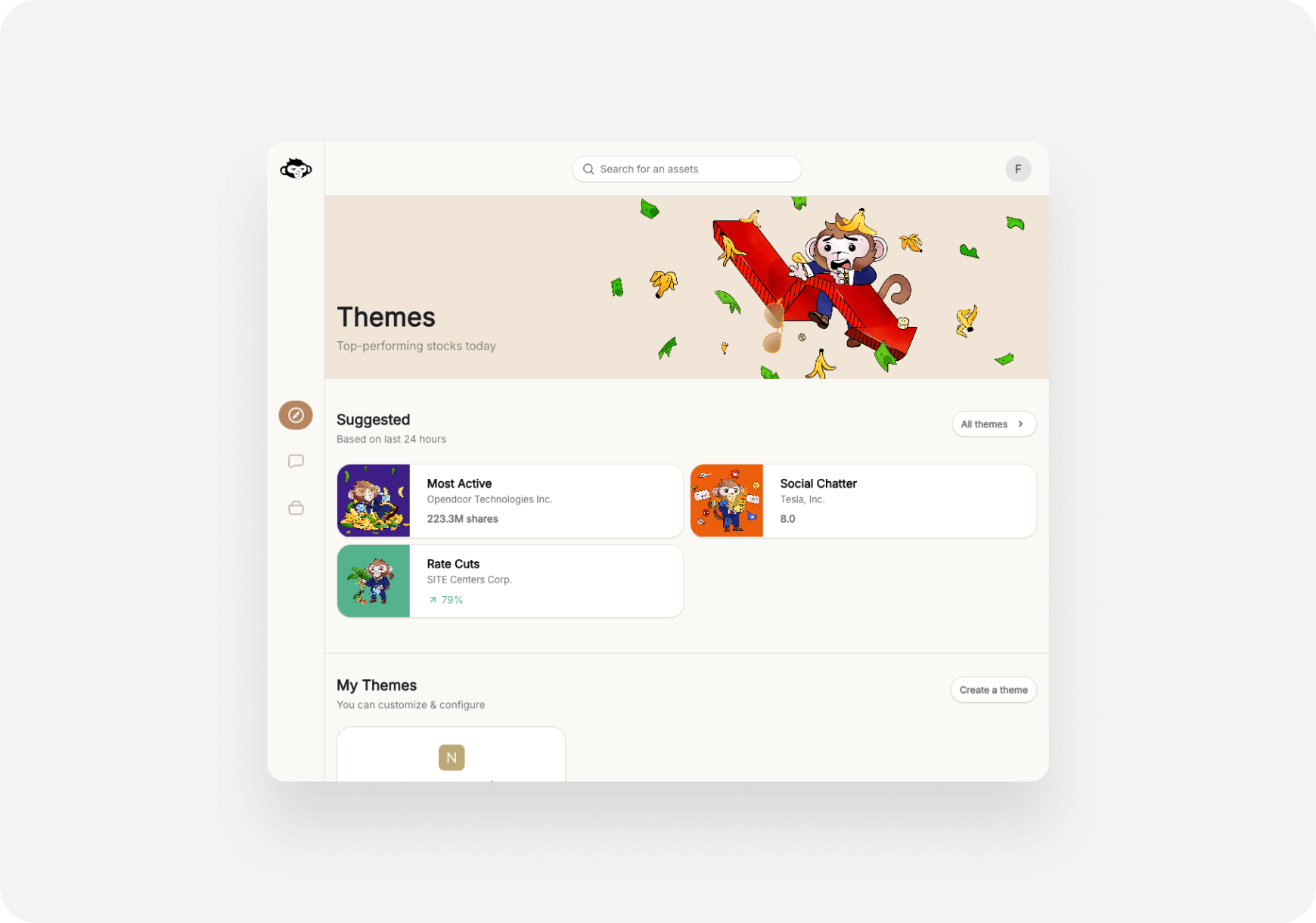
- Go to Themes page (left sidebar)
- See all your themes listed
- Browse suggested themes
- Click any theme to open
🎯 What You Can Do with Themes
1. Browse Stocks in Theme
Tap/click a theme → See all stocks that match For each stock, you see:- Ticker & company name
- Current price & % change today
- AI Snapshot Grade (A-F)
- Quick stats (Market Cap, P/E, etc.)
2. Monitor Theme Performance
Track how your theme is doing:- Average % change today
- How many stocks up vs down
- Top performers in theme
- Worst performers in theme
Your Theme: “AI Stocks”See at a glance if your theme is hot or not.
- 15 stocks in theme
- Avg performance today: +2.3% 🚀
- 12 up, 3 down
- Top: NVDA +5.2%
- Bottom: AI -1.8%
3. Get AI Analysis on Theme
Ask AI about your theme: Examples:- “Which stocks in my AI theme are the best buys?”
- “Analyze my Tech Titans theme”
- “Which stock should I buy from my Value Plays theme?”
- “Are my EV stocks overvalued?”
4. Set Alerts on Theme
Get notified when:- Any stock in theme moves +/- 5%
- New stocks match your theme criteria
- Earnings coming up (for stocks in theme)
- Major news for theme stocks
5. Add to Feed
Show theme updates in your Feed: When enabled:- News about theme stocks shows up
- Price alerts for theme stocks
- Trending stocks from your theme highlighted
🌟 Why Themes are Powerful
1. No Complex Filters
Traditional screeners:- Dozens of dropdown menus
- Need to know exact metrics
- Easy to make mistakes
- Hard to save and reuse
- Just describe what you want
- AI figures out the filters
- One sentence = one theme
- Easy to modify
2. Dynamic & Live
Traditional watchlists:- Static list you manually update
- Stocks stay even if no longer relevant
- Automatically update
- Stocks removed if they no longer match
- New stocks added if they match
- Always current
- NVDA at $95? In the theme. ✅
- NVDA hits $105? Removed from theme. ❌
3. Shareable (Coming Soon)
Share themes with friends:- Export theme criteria
- Send to Discord/Twitter
- Others can clone your theme
- Build community themes
4. Multiple Strategies, One Place
Have different trading strategies? Create themes for each:- “Day Trade Momentum Plays” (Blitz)
- “Swing Trade Setups” (Maverick)
- “Long-Term Value Holds” (Sage)
💡 Theme Ideas by Companion
For Blitz (Day Trader) 🚀
Momentum Themes:- “Stocks up 5%+ today with high volume”
- “Breaking 52-week highs”
- “Gapping up pre-market on earnings”
- “High IV options for day trading”
- “Most volatile stocks today”
For Maverick (Momentum Trader) 📈
Swing Setup Themes:- “Stocks breaking out of consolidation”
- “Oversold quality stocks (RSI < 30)”
- “Earnings in 2-4 weeks with positive momentum”
- “Cup and handle patterns forming”
- “Trending stocks with volume confirmation”
For Sage (Long-Term) 🏦
Value & Quality Themes:- “Dividend aristocrats yielding over 3%”
- “Undervalued stocks (P/E < 15) with earnings growth”
- “Wide moat companies trading below fair value”
- “Berkshire Hathaway holdings”
- “Stocks with 10+ years of profit growth”
🔄 Theme Workflow Examples
Example 1: Finding Swing Trades
1. Create Theme:“Tech stocks breaking out with volume, priced $50-$150”2. AI Creates List: 15 stocks match → AMD, NVDA, CRM, NOW, PANW… 3. Review Snapshot Grades: Filter for A or B grades only 4. Narrow to Top 3: AMD (A-), NVDA (A+), CRM (B+) 5. Deep Dive: Open ticker pages, read AI analysis 6. Ask AI: “Which of these 3 is the best swing trade?” 7. Execute: AI recommends AMD → Place trade from chat Total time: 5 minutes
Example 2: Building Long-Term Portfolio
1. Create Theme:“Dividend stocks with 20+ years of growth, yield over 2.5%”2. AI Finds 23 Stocks: JNJ, PG, KO, PEP, MMM, etc. 3. Review Fundamentals: Check each company’s Snapshot Grade 4. Ask AI: “Rank these by best value for long-term hold” 5. AI Ranks Top 5:
- JNJ
- PG
- KO
- CAT
- TGT
⚙️ Theme Settings
Customize Your Themes:
Theme Refresh Frequency:- Real-time (updates as market moves)
- Daily (updates once per day)
- Weekly (updates Monday)
- Alert when stocks added/removed
- Alert on big moves in theme
- Daily theme performance summary
- Sort by: % change, market cap, grade
- Show: All stocks, top 10, top 25
- View: List, grid, chart
📊 Theme Performance Tracking
See how your themes perform over time: Metrics:- Average return (day, week, month)
- Best performing stock in theme
- Worst performing stock
- Win rate (% of stocks up)
- Volatility
Theme: “AI Stocks”Track which themes work best for you.
- Created: Oct 1, 2024
- 1-month return: +12.5%
- Best stock: NVDA +28%
- Worst stock: C3.AI -5%
- Win rate: 80% (12 of 15 stocks up)
💡 Pro Tips
1. Start with Suggested Themes
Don’t know what to create?- Browse suggested themes first
- See what’s possible
- Clone and modify
- Build confidence
2. Combine Themes for Better Ideas
Create multiple related themes:- “Tech Stocks” (broad)
- “Undervalued Tech” (value)
- “Tech Earnings This Week” (catalyst)
3. Use Themes for Sector Rotation
Create a theme for each sector:- Tech, Healthcare, Energy, Finance, etc.
- Monitor performance daily
- See which sector is hot
- Rotate capital accordingly
4. Be Specific
❌ Vague: “Good stocks” ✅ Specific: “Large-cap tech stocks with earnings growth over 25% and P/E under 30” Specific themes = better results❓ FAQ
Q: How many themes can I create? A: Unlimited! Create as many as you want. Q: Do themes update automatically? A: Yes! Stocks are added/removed as they match criteria. Q: Can I export my theme to my broker? A: Not yet, but export feature coming soon! Q: Can I backtest my theme? A: Coming soon! Historical performance feature in development. Q: Do themes work with paper trading? A: Yes! Use themes to find ideas for your Ape Paper Trading account. Q: Can I share themes with friends? A: Not yet, but theme sharing coming in future update!What’s Next?
Explore Themes:- Suggested Themes → - Pre-built themes to try
- Creating Themes → - Step-by-step creation guide
- Swing Trade Entry Timing → - Find setups with themes
Themes = Your Custom Stock Universe. Find exactly what you’re looking for! 🎨🚀