

🎯 What is Conversation Sharing?
Conversation Sharing lets you share your AI chat conversations with anyone through a shareable link. Perfect for:- Sharing trade ideas with friends
- Discussing market analysis with your trading group
- Getting second opinions on AI insights
- Teaching others about stocks
- Collaborating on research
- 🔗 Easy link sharing
- 📱 Works on any device
- 👥 No login required for viewers
- 💬 Share complete context
- 🎓 Help others learn
📱 How to Share on iOS
Step 1: Start a Conversation
- Open Chat tab
- Ask AI any question
- Wait for response to complete
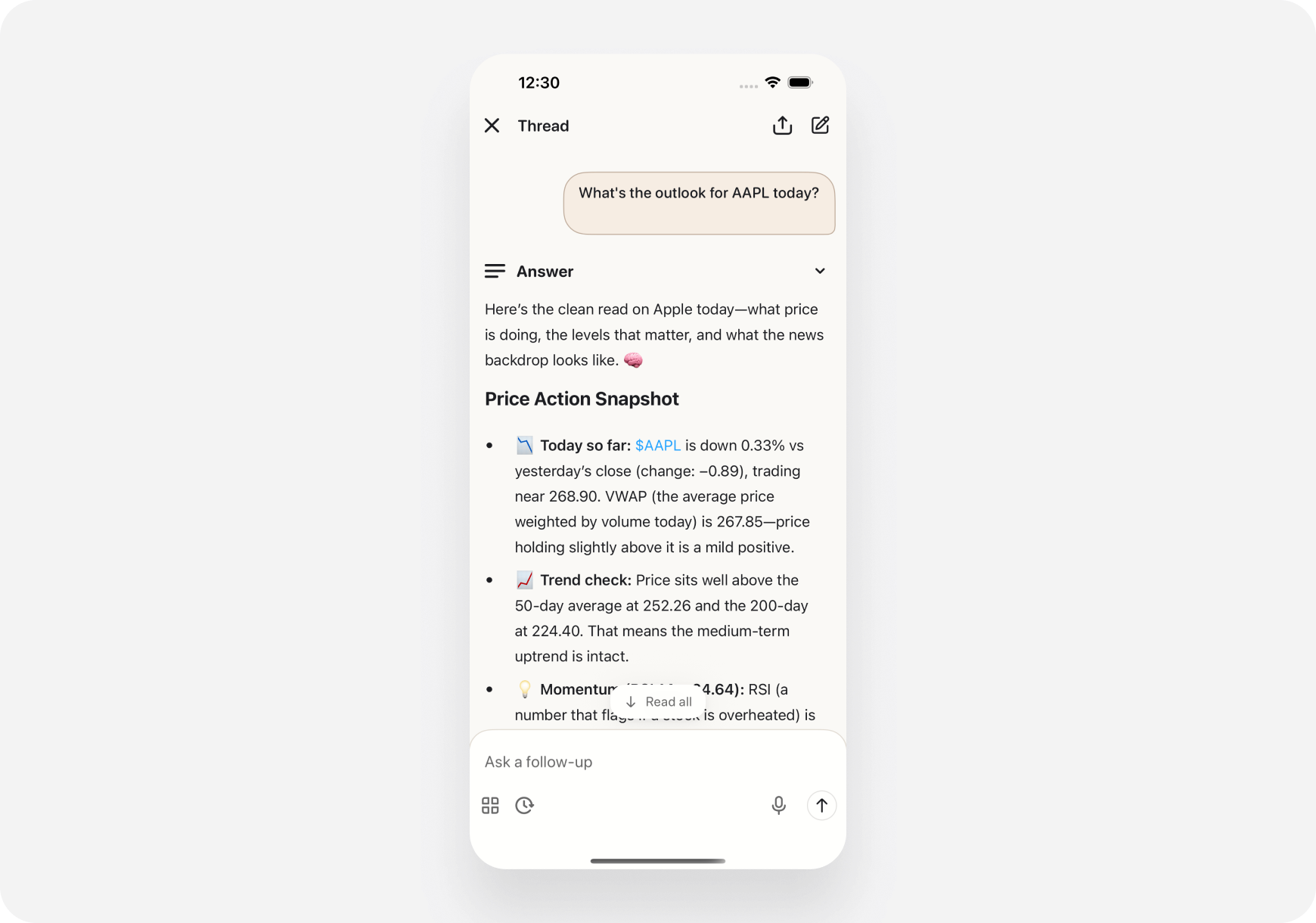
Step 2: Tap Share Button
- Look for share icon (top right corner)
- Tap the share button
- Share dialog appears
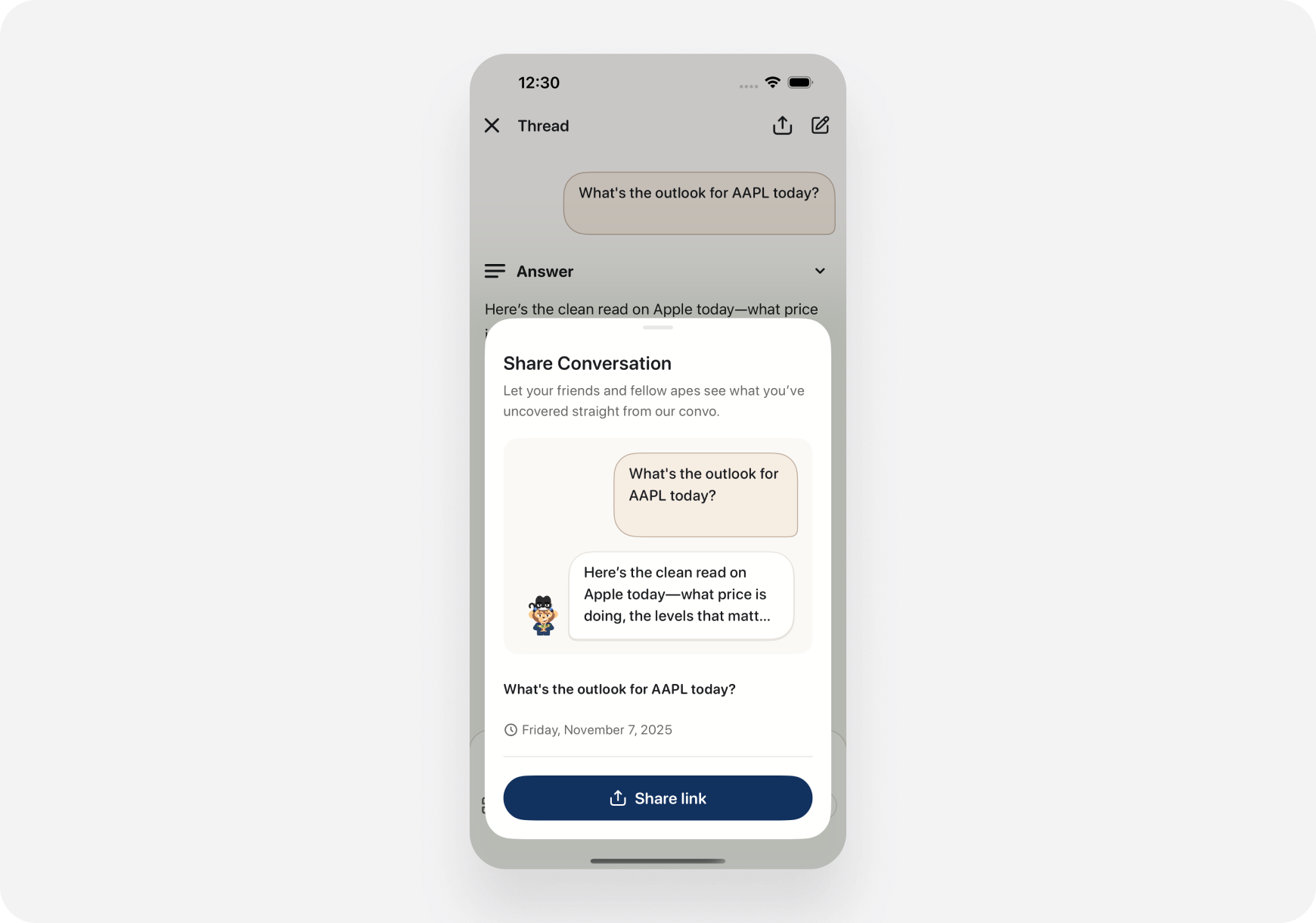
- Title: “Share Conversation”
- Description: What sharing does
- Preview: Your question and AI response snippet
- Share link button: Generate shareable URL
Step 3: Share the Link
- Tap “Share link” button
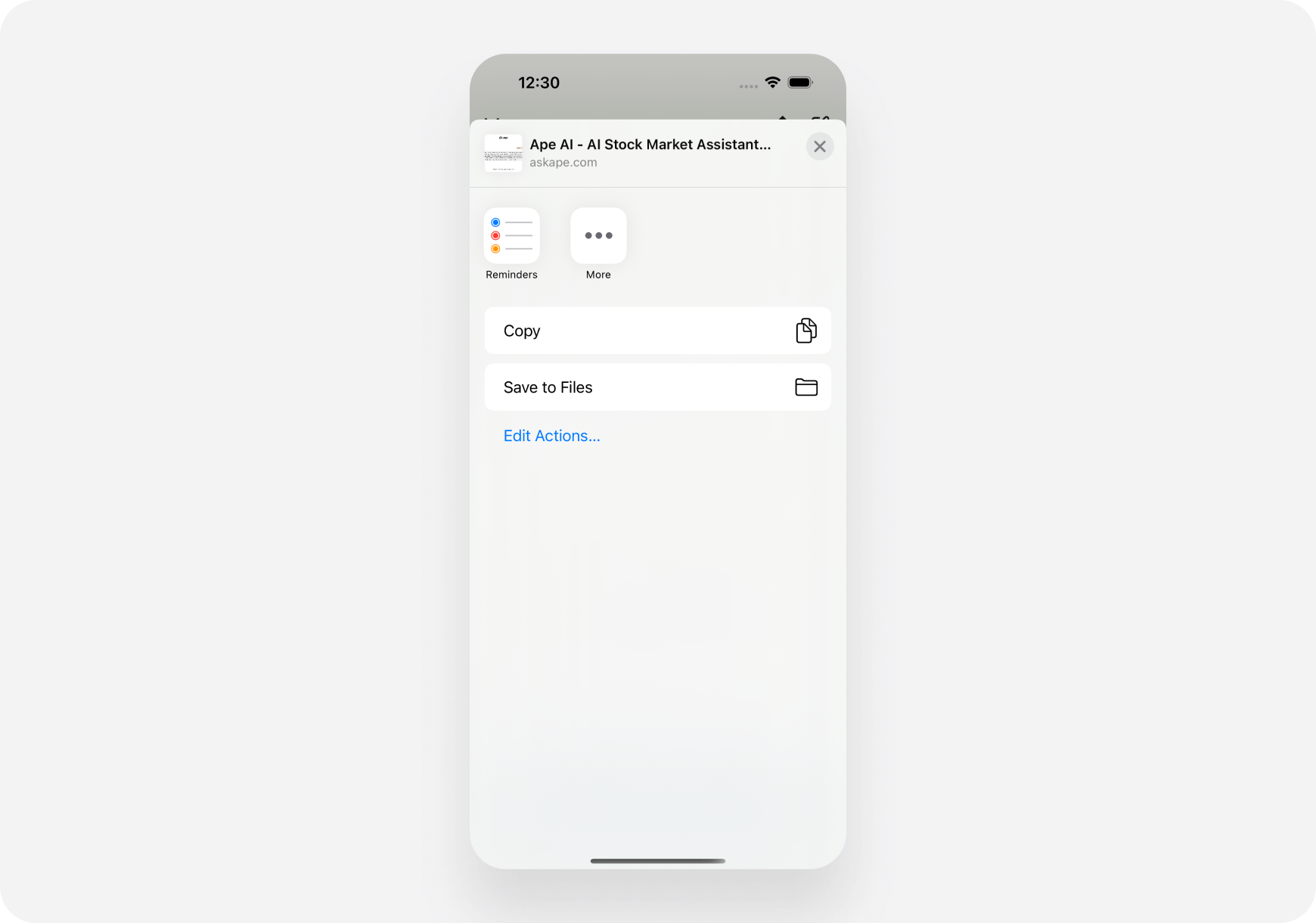
- iOS share sheet opens
- Choose how to share:
- Copy - Copy link to clipboard
- Messages - Send via iMessage
- Mail - Send via email
- Other apps - WhatsApp, Telegram, etc.
🌐 How to Share on Web
Step 1: Start a Conversation
- Open Chat page
- Ask AI any question
- Wait for response to complete
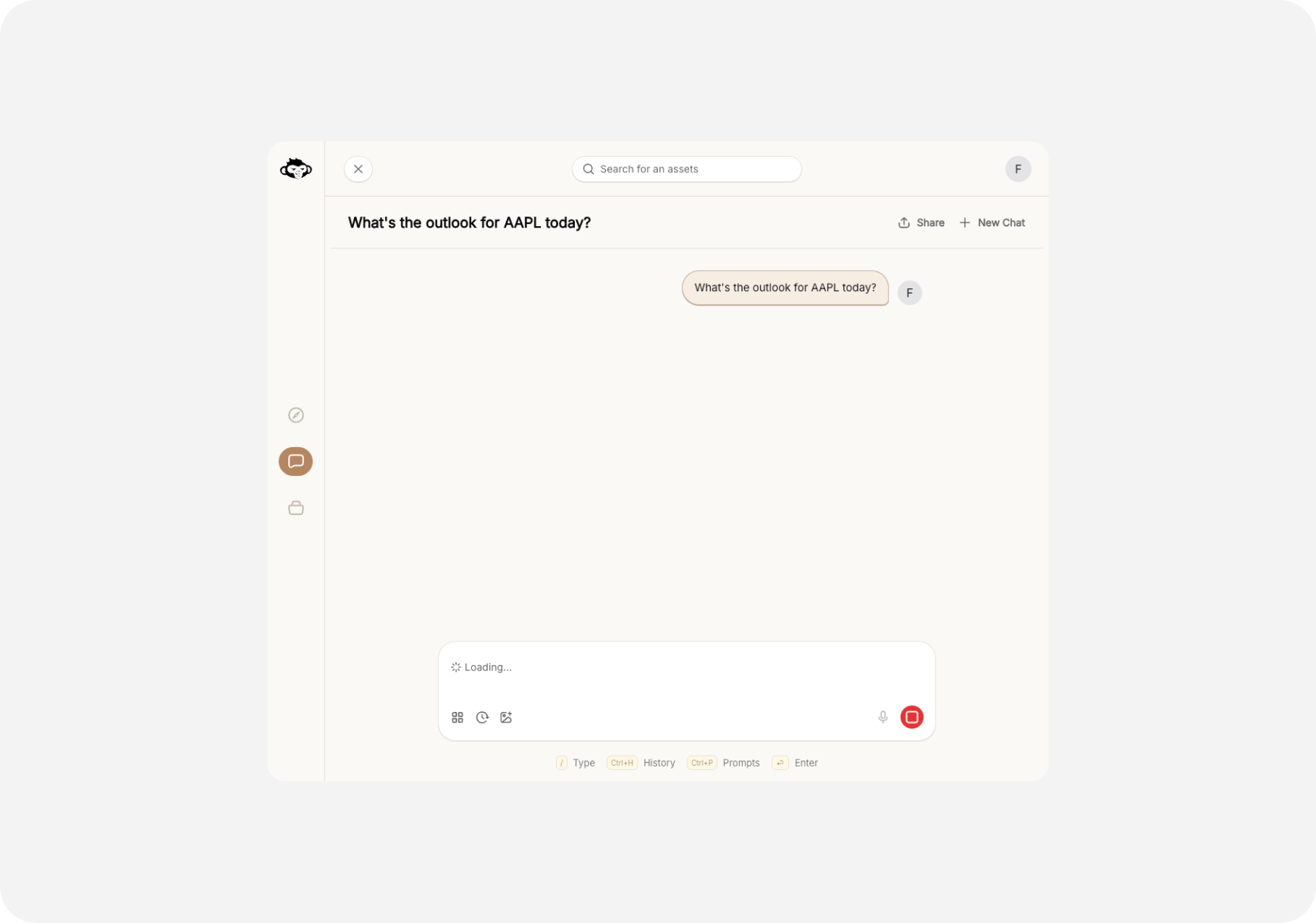
Step 2: Click Share Button
- Look for “Share” button (top right)
- Click the Share button
- Share dialog appears
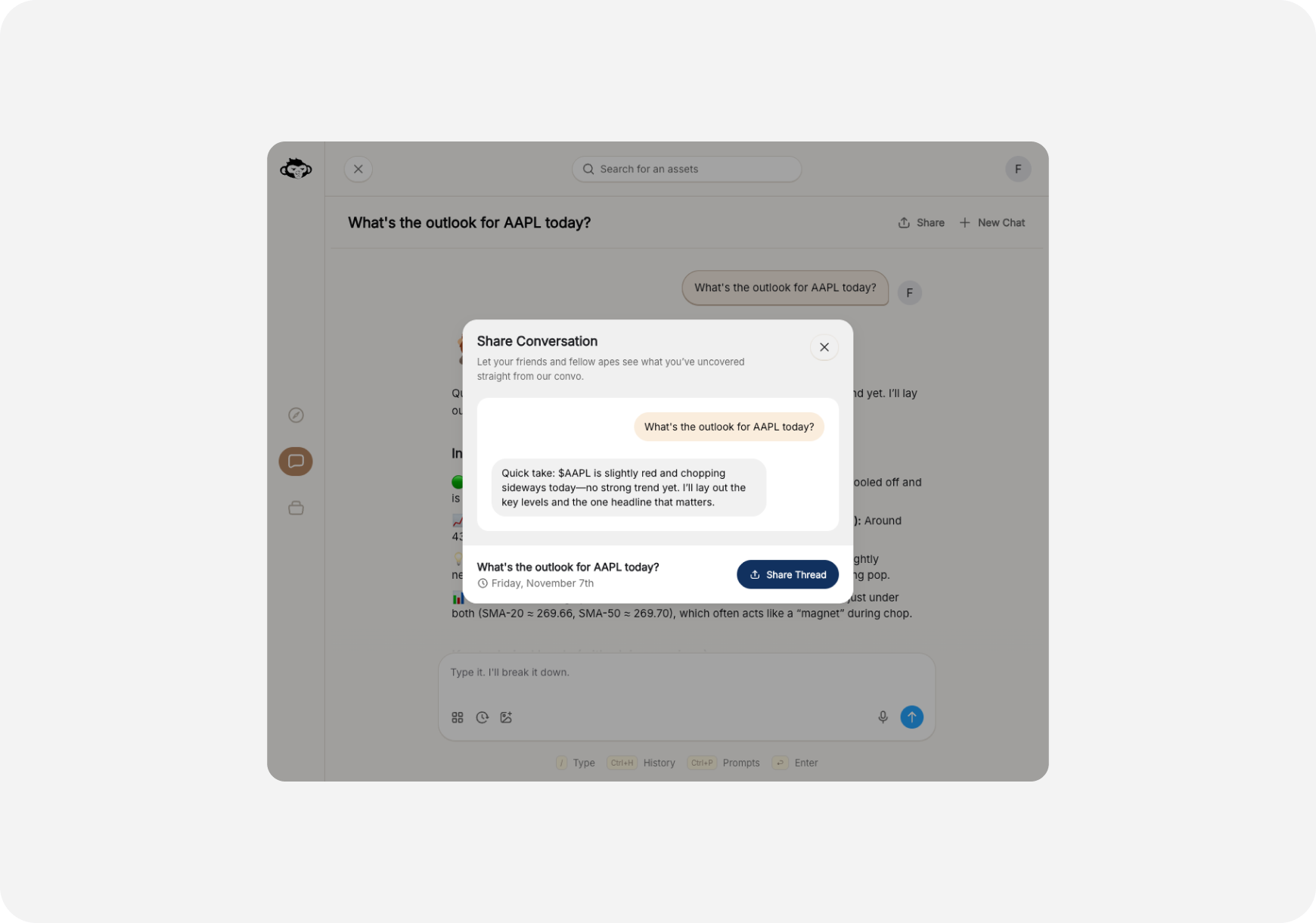
- Title: “Share Conversation”
- Description: “Let your friends and fellow apes see what you’ve uncovered straight from our convo.”
- Preview: Your question and AI response excerpt
- Date: When conversation took place
- Share Thread button: Generate and copy link
Step 3: Copy and Share
- Click “Share Thread” button
- Link automatically copied to clipboard
- Notification confirms: “Copied to clipboard”
- Paste the link wherever you want:
- Discord
- Slack
- Twitter/X
- Text message
🔗 What Gets Shared?
When you share a conversation, the link includes: ✅ Included:- Your original question
- Complete AI response
- Any follow-up Q&A in that thread
- Timestamp
- Ticker symbols mentioned
- Your personal information
- Your account details
- Your other conversations
- Your portfolio
- Your trading history
👥 Who Can View Shared Links?
Anyone with the link can view the conversation - no login required! This means:- ✅ Great for sharing with non-users
- ✅ Easy to share on social media
- ✅ Perfect for teaching
- ⚠️ Anyone with link has access
- ⚠️ Consider what you’re sharing
💡 Common Use Cases
1. Trading Group Collaboration
Scenario: You found an interesting trade setup What to do:- Ask AI: “What’s the outlook for TSLA today?”
- Review the analysis
- Share link in your trading Discord/Slack
- Discuss with group
2. Getting Second Opinions
Scenario: Unsure about AI’s recommendation What to do:- Ask AI complex question
- Share conversation with experienced trader friend
- Get their take on the analysis
3. Teaching New Traders
Scenario: Friend wants to learn technical analysis What to do:- Ask AI: “Explain major support and resistance for NVDA”
- AI provides detailed breakdown
- Share link with your friend
- They can reference it anytime
4. Social Media Sharing
Scenario: AI gave you alpha, want to share with community What to do:- Get AI insights on hot stock
- Share link on Twitter/Reddit with your commentary
- Let community see the full analysis
5. Documenting Research
Scenario: Want to keep track of AI analysis over time What to do:- Ask AI about stock you’re watching
- Share link to yourself (email, notes app)
- Compare over days/weeks
🎯 Best Practices
✅ Do’s
- ✅ Share valuable insights - Help others learn
- ✅ Add context - Explain why you’re sharing
- ✅ Credit the source - Mention it’s from Ape AI
- ✅ Check link works - Test before sharing widely
- ✅ Share with purpose - Have a reason
❌ Don’ts
- ❌ Don’t spam links - Quality over quantity
- ❌ Don’t share sensitive info - Review first
- ❌ Don’t use for financial advice - AI is a tool, not advisor
- ❌ Don’t overshare - Consider privacy
- ❌ Don’t misrepresent - Don’t claim it’s your analysis
🔒 Privacy & Security
What You Should Know
Link Security:- Links are unique and hard to guess
- No personal info in the URL
- Viewers don’t see your identity
- Conversation content is public once shared
- Currently, shared links remain active
- Delete conversation = link stops working
- No way to “unshare” specific link (yet)
- Feature coming soon: Revoke shared links
- Review conversation before sharing
- Don’t share sensitive portfolio details
- Remember: Anyone with link can access
- Consider what you ask AI if you plan to share
❓ FAQ
Q: Can I see who viewed my shared conversation? A: Not currently. This feature may be added in the future. Q: Do shared links expire? A: No, shared links remain active unless you delete the conversation. Q: Can I unshare or revoke a link? A: Not yet. Coming soon! For now, only share what you’re comfortable making public. Q: Can viewers see my name or account? A: No. Shared conversations are anonymous - viewers only see the Q&A content. Q: Is there a limit to how many conversations I can share? A: No limit! Share as many as you want. Q: What if I share then edit the conversation? A: You cannot edit past conversations. Shared link shows the original conversation as-is. Q: Can I share individual messages or only full conversations? A: Currently, you share the entire conversation thread. Message-level sharing coming soon. Q: Will the viewer see the same formatting and charts? A: Yes! Shared conversations look the same as they do in your app. Q: Can non-users view shared links? A: Yes! No login required. Perfect for sharing with anyone. Q: Can I share on social media? A: Absolutely! Share on Twitter, Discord, Reddit, anywhere you can paste a link.🎓 Pro Tips
1. Add Commentary When Sharing
Don’t just drop the link - explain why it’s valuable:“Check out this NVDA analysis from my AI - look at the risk/reward section! [link]“
2. Use in Trading Journals
Keep a collection of shared links to track your research:- Create document with dated links
- Review AI analysis from weeks ago
- See how predictions played out
3. Combo with Screenshots
For social media:- Share the link
- Add screenshot of key insight
- People click link for full context
4. Create Learning Library
Build collection of shared conversations:- “Best AI explanations”
- “Top trade setups”
- “Market analysis archive” Share library link with friends!
5. Compare AI Analyses
Share multiple AI conversations about same stock:- How analysis changed over time
- Different questions = different insights
- Show AI’s consistency (or inconsistency)
🚀 Coming Soon
Future sharing features: Link Management:- View all your shared links
- Revoke/unshare specific links
- See view counts
- Set expiration dates
- Share specific messages (not full thread)
- Add custom notes to shared links
- Create shareable AI response collections
- Export conversations as PDF
- See trending shared conversations
- Discover popular AI insights
- Follow other traders’ shared analysis
- Community sharing feed
What’s Next?
Explore More Chat Features:- Chat Basics → - Learn to chat with AI
- Quick Prompts → - Pre-built questions
- Custom Prompts → - Create your templates
Share the alpha. Help fellow apes. Collaboration = strength! 🦍🤝🚀