

🔍 How to Search
iOS
Method 1: Tap Search icon (🔍) at top of any screen Method 2: Pull down on any tab to reveal search bar Type: Ticker (TSLA) or Company Name (Tesla) Results appear instantly as you type
Web
Method 1: Click search bar at top Method 2: Press / (forward slash) keyboard shortcut Type: Ticker or company name Press Enter or click result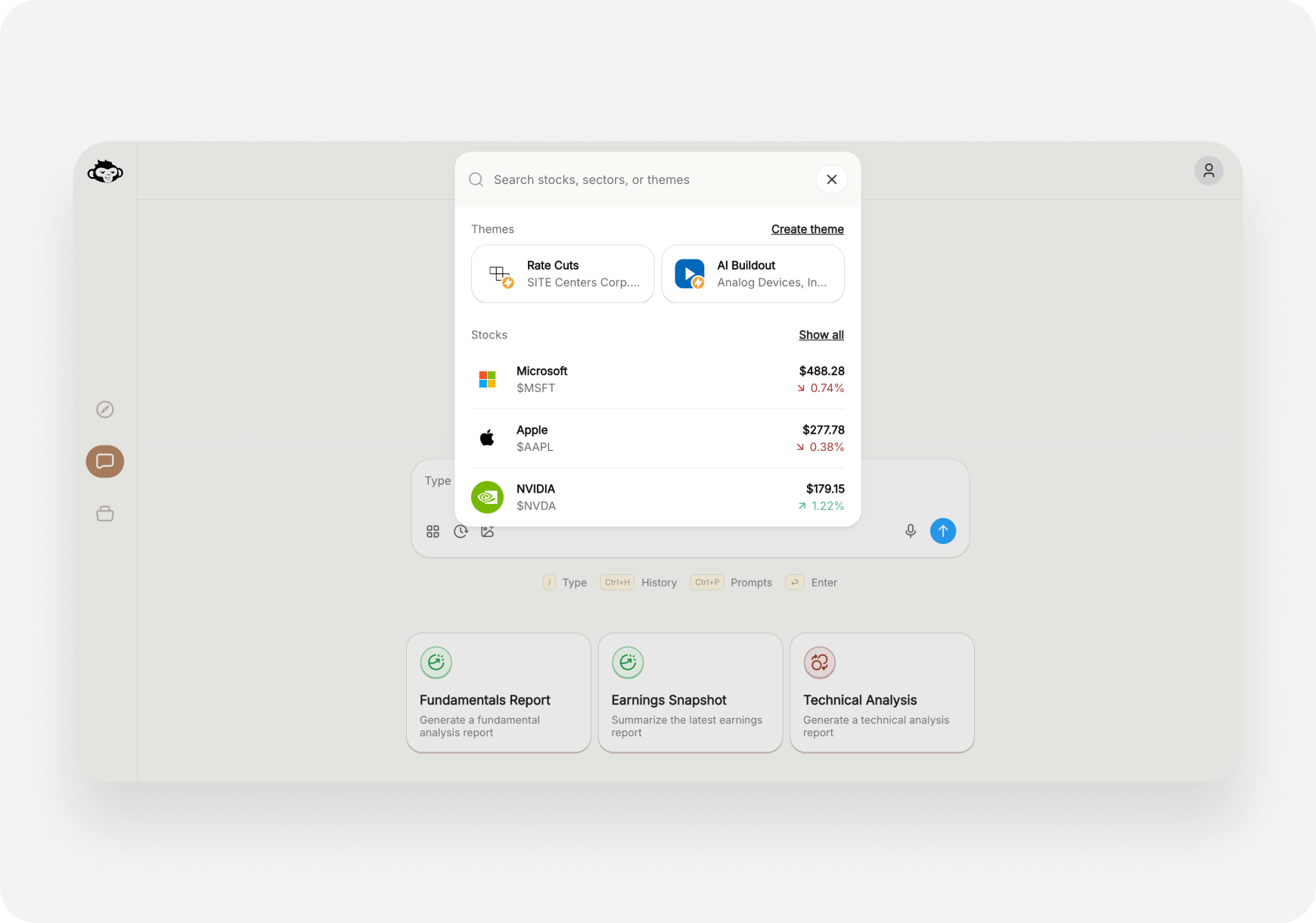
🎯 Search Features
Smart Search
Understands:- Ticker symbols (AAPL, TSLA, NVDA)
- Company names (Apple, Tesla, NVIDIA)
- Partial names (just “Tes” finds Tesla)
- Common nicknames
Results Show
- Company name & ticker
- Current price & % change
- Logo
- AI Snapshot Grade badge
Recent Searches
- Your last 10 searches saved
- Quick access to stocks you check often
💡 Pro Tips
1. Use ticker for speed- “AAPL” faster than “Apple Inc.”
- Tap search, see recent, tap again
- Search → Set price alert → Get notified
- Fastest way to search on web
- Keep hands on keyboard
❓ FAQ
Q: Can I search for ETFs? A: Yes! SPY, QQQ, VOO all searchable. Q: What about crypto? A: Crypto stocks yes (COIN, MARA). Crypto itself (BTC) not yet. Q: Can I search by sector? A: Use Themes for that. Search is for specific stocks.What’s Next?
- Navigation Guide → - Get around the app
- Ticker Page → - What you see after searching
Search = Find Any Stock in 2 Seconds! 🔍⚡