

🤖 What is AI Chat?
AI Chat is your personal trading assistant powered by artificial intelligence. Think of it like having a smart trader friend who:- Answers any question about stocks
- Finds trade setups for you
- Analyzes companies in seconds
- Explains complex concepts simply
- Helps with strategy decisions
📱 Where to Find It
iOS
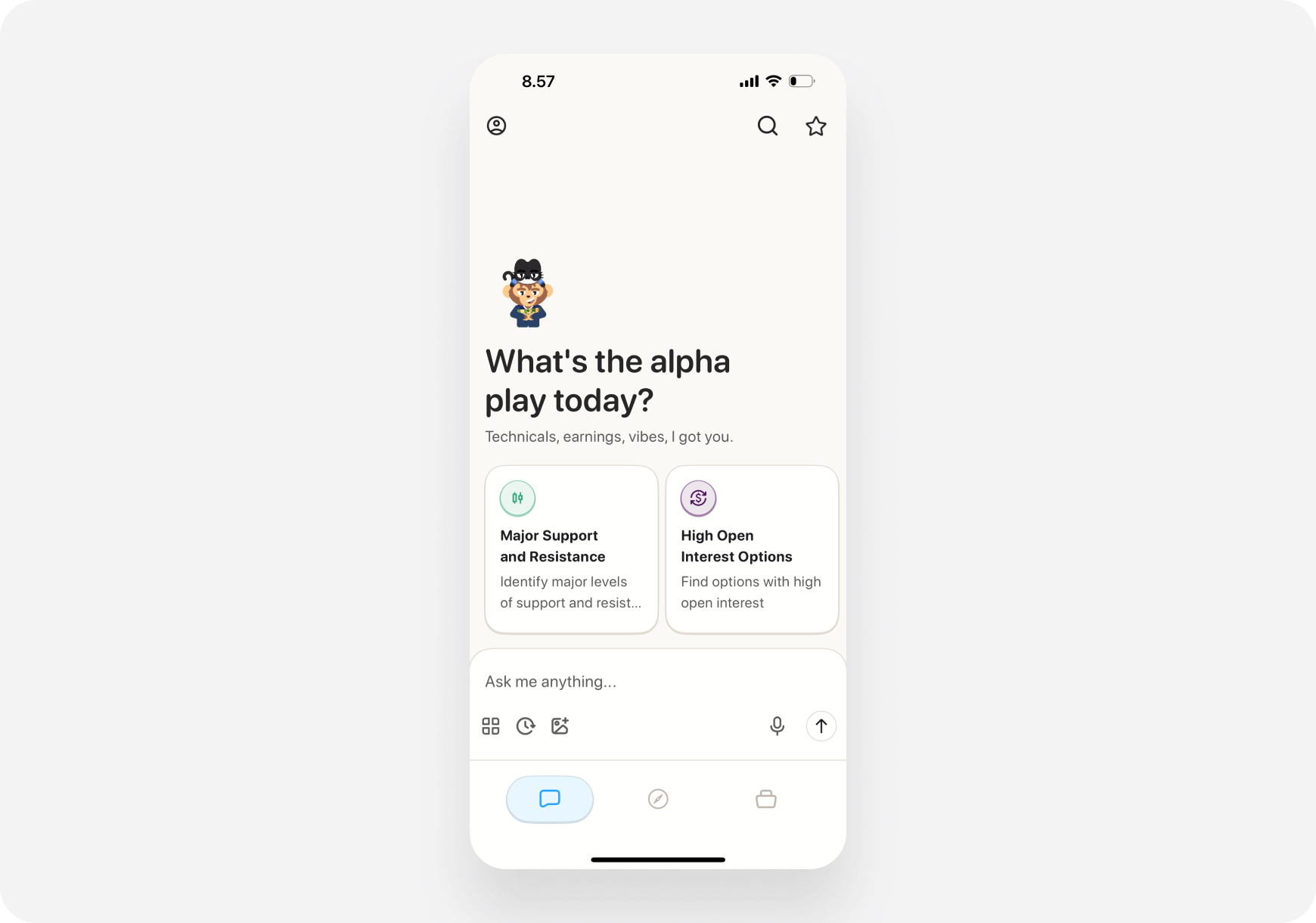
- Open Ape AI app
- Tap Chat tab (bottom left)
- You’ll see the chat interface
Web
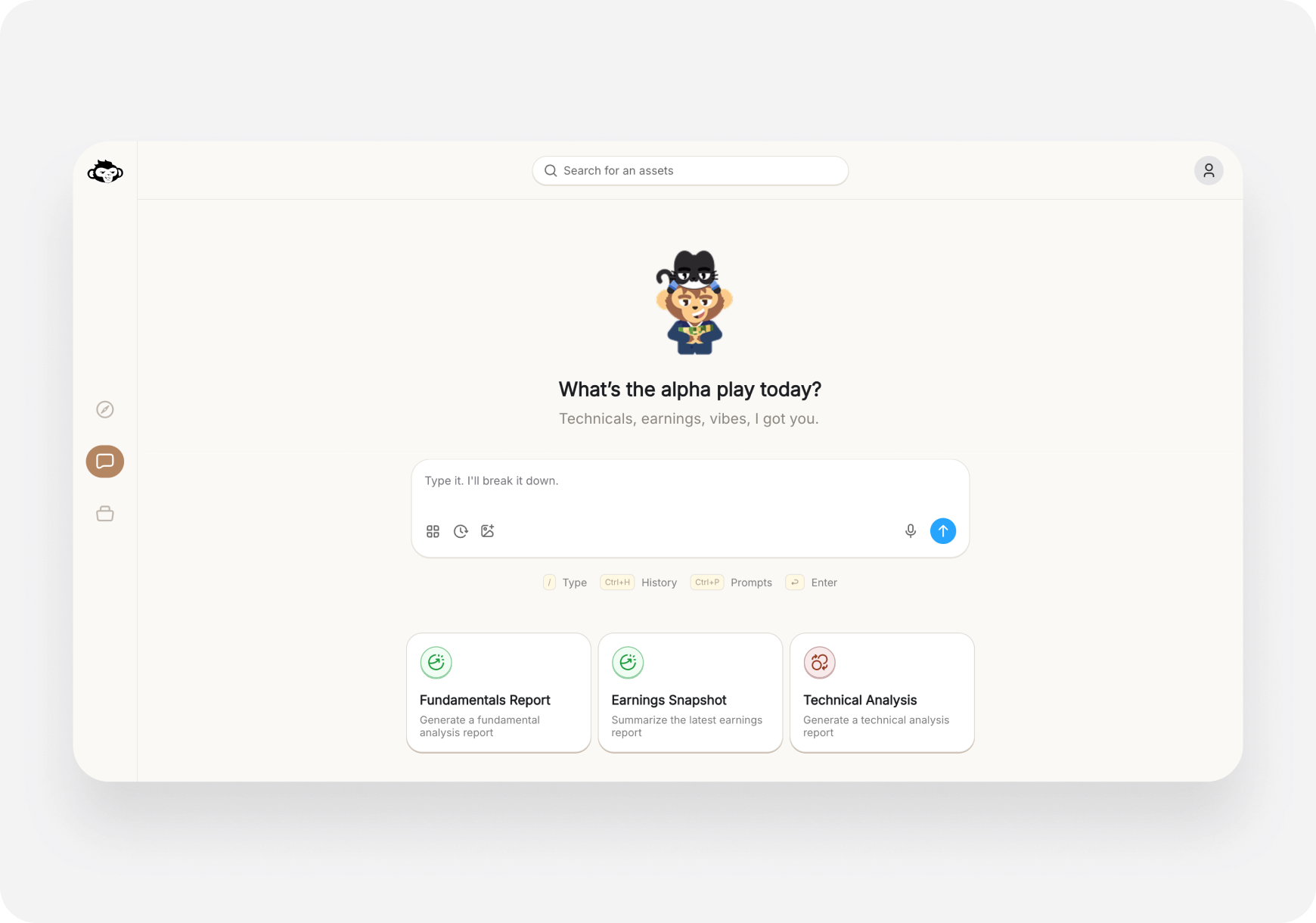
- Go to app.askape.com
- Click Chat in left sidebar
- Chat interface opens
💬 Chat Interface Overview
Main Elements
📱 iOS Layout:- Top: Your chosen companion
- Middle: Chat conversation history
- Bottom: Text input + icons (Prompts, History, Voice, Send)
- Quick Action Cards: Swipeable prompts at top
- Top: Companion indicator
- Middle: Chat conversation
- Bottom: Text input box
- Sidebar: Prompts button (or Ctrl+P)
🎯 What You Can Ask
Stock Analysis
- “Is TSLA overvalued?”
- “Analyze AAPL fundamentals”
- “What’s the technical setup for NVDA?”
- “Should I buy or sell [ticker]?”
Trade Ideas
- “What are good swing trades this week?”
- “Find strong catalyst stocks under $50”
- “Show me undervalued stocks”
- “What’s hot in tech right now?”
- “Find me day trade setups” (advanced)
Strategy Questions
- “What’s a good entry point for [ticker]?”
- “When should I take profits?”
- “How do I know if it’s a breakout or fakeout?”
- “What’s the risk in holding [ticker] through earnings?”
Learning Questions
- “Explain what a call option is”
- “What’s theta decay?”
- “How do I read RSI?”
- “What’s a P/E ratio?”
Portfolio Questions
- “Should I diversify more?”
- “Is my portfolio too risky?”
- “What should I add to balance my holdings?”
- “Analyze my portfolio” (if Maverick AI is enabled)
⌨️ How to Use Chat
Type a Question
📱 iOS:- Tap the text box at bottom
- Type your question
- Tap Send arrow (or voice icon for voice input)
- Click the text box
- Type your question
- Press Enter or click Send
Use Quick Prompts
Instead of typing, use pre-built prompts: 📱 iOS:- Swipe through Quick Action cards at top
- Tap a card to use that prompt
- Or tap Prompts icon (bottom toolbar)
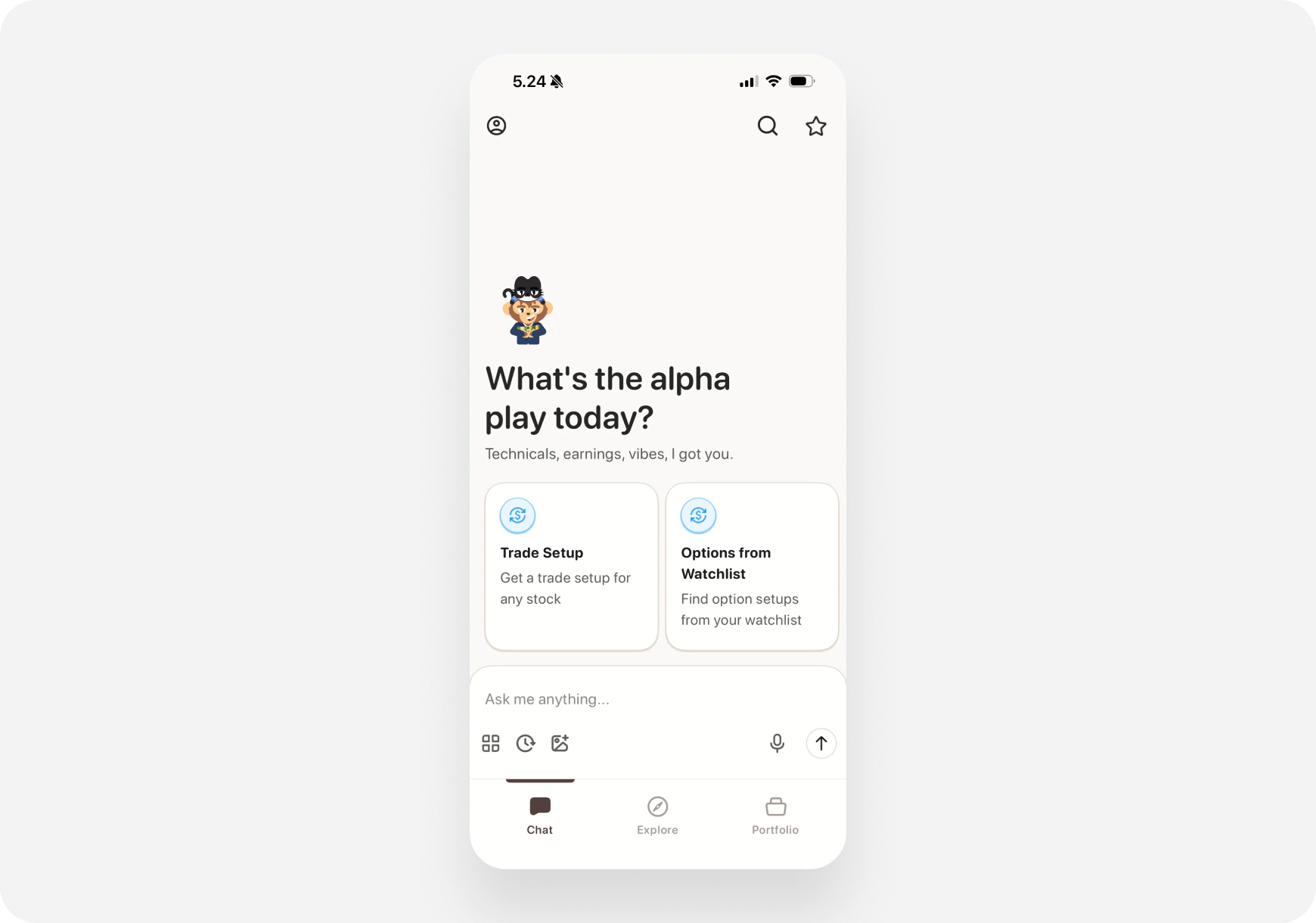
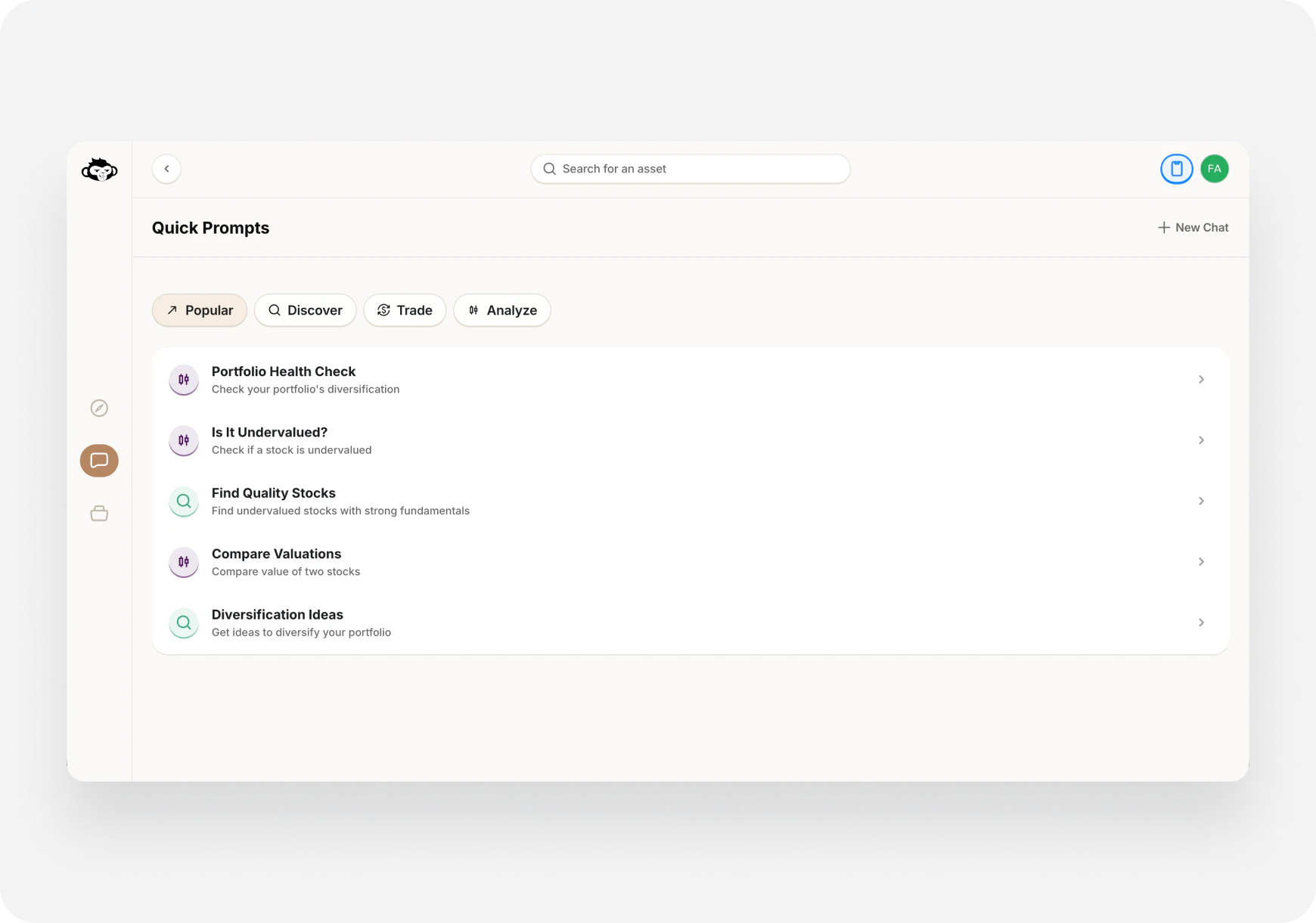
- Click Prompts icon in chat
- Or press Ctrl+P
- Select a prompt from the list
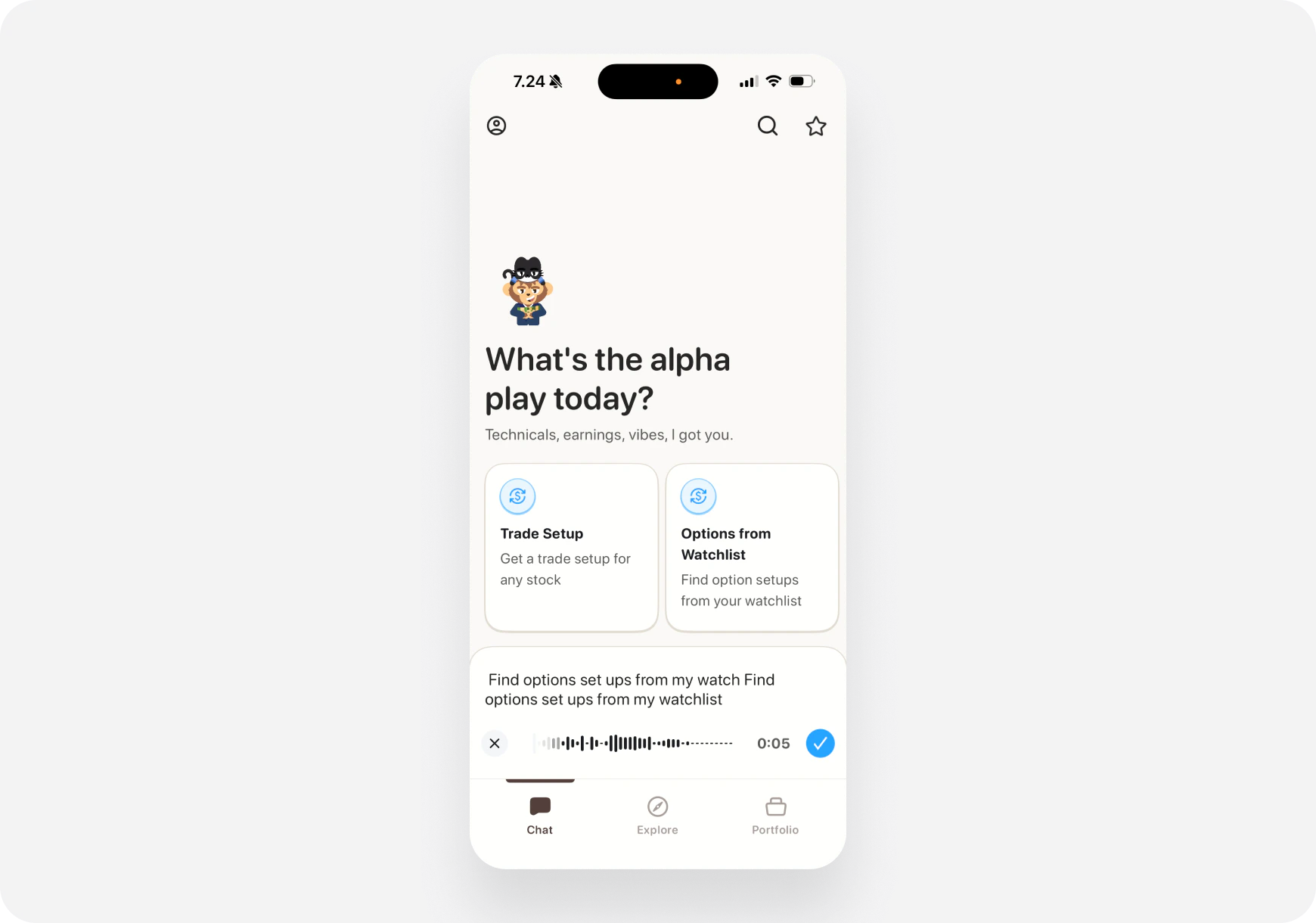
Voice Input (iOS)
📱 iOS only:- Tap the microphone icon
- Speak your question
-
AI transcribes and responds
🧠 How the AI Works
Companion-Based Responses
Your AI adapts to your chosen companion: Example: “Should I buy TSLA?” Money Monty (Generalist):“TSLA looks solid from multiple angles. Technical strength with volume; fundamentals improving. Entry $465–470, target $490 in ~10 days. Risk: stretched valuation; size 2–3%.”Maverick (Momentum Trader):
“TSLA breaking out with volume. Entry $465–470, target $490 in 7–10 days. Good swing setup.”Sage (Long‑Term):
“TSLA Fundamental B-. Quality company, stretched valuation (P/E ~75). For long‑term: Wait for pullback to $400–420 or DCA.”Blitz (Day Trader, advanced):
“TSLA near $470. Break with volume → $478 intraday. Consider short‑dated calls; stop at $458.”Same question, companion‑specific answers—matching your style and timeframe.
What AI Analyzes
When you ask about a stock, AI looks at:- Price action - Current and historical
- Technical indicators - RSI, MACD, moving averages
- Fundamentals - Earnings, P/E, growth
- News - Recent headlines and catalysts
- Sentiment - Analyst ratings, social chatter
- Market context - Overall market conditions
💡 Pro Tips for Better Responses
1. Be Specific
❌ Vague: “Tell me about TSLA” ✅ Specific: “Is TSLA a good swing trade entry at $465?“2. Include Your Timeframe
❌ “Should I buy AAPL?” ✅ “Should I buy AAPL for a 2-week swing trade?“3. Mention Your Risk Tolerance
“Find me low-risk dividend stocks” “Show me high-risk options plays”4. Ask Follow-Up Questions
First: “Analyze NVDA” Follow-up: “What’s the downside risk?” Follow-up: “When should I exit?“5. Use Context from Previous Messages
AI remembers your conversation: “What about compared to AMD?” “Should I wait for a pullback?”📊 Response Types
Text Analysis
Most common - AI writes detailed analysis.Trade Setups
Structured trade recommendations:- Entry price
- Target price
- Stop loss
- Timeframe
- Reasoning
Lists
When you ask for multiple options:- “Top 5 tech stocks”
- “3 dividend stocks under $100”
Educational Explanations
When learning:- Definitions
- Examples
- Step-by-step guides
🔄 Chat History
Access Past Conversations
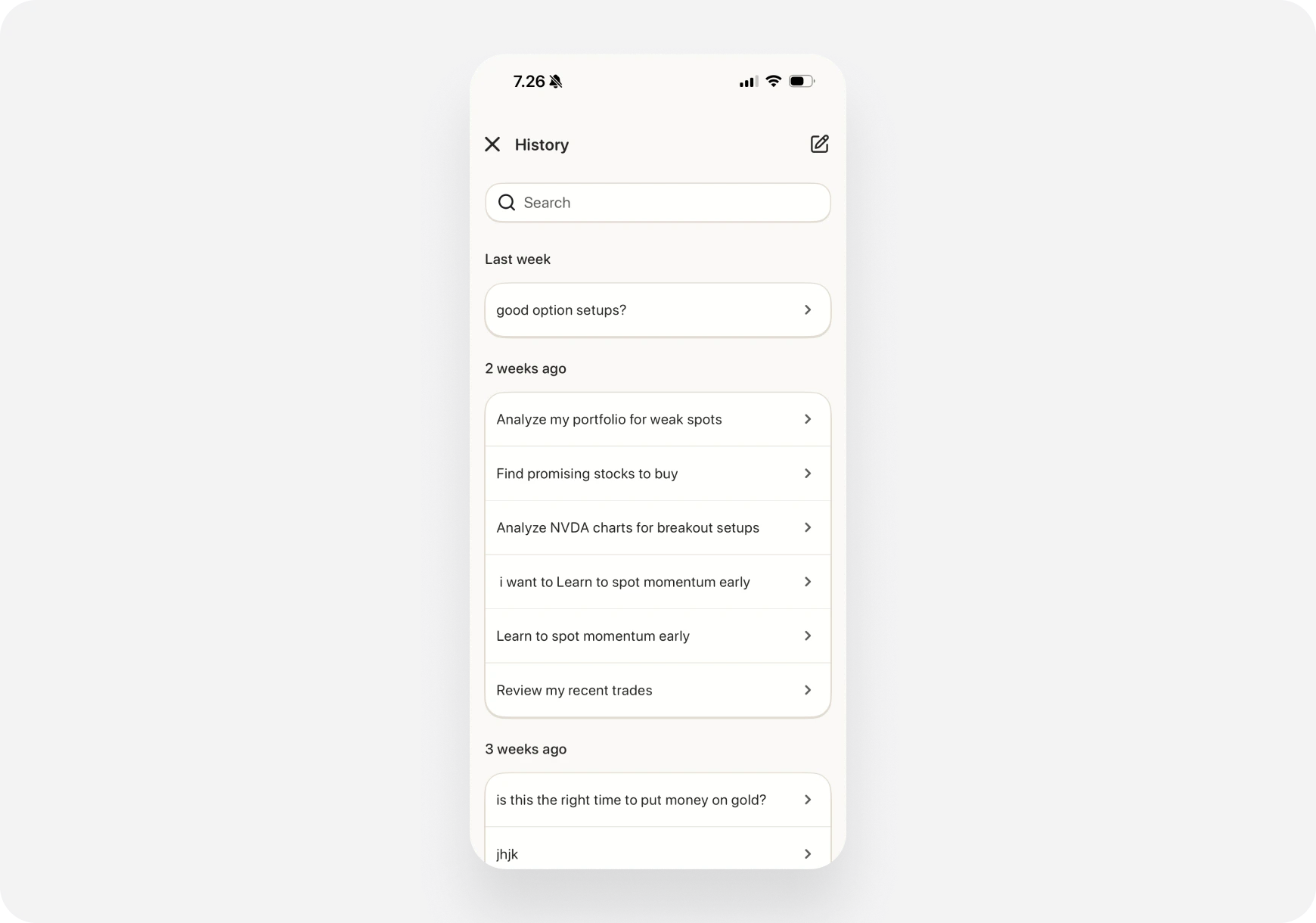
📱 iOS:- Tap History icon (bottom toolbar)
- See list of past chats
-
Tap to view/continue
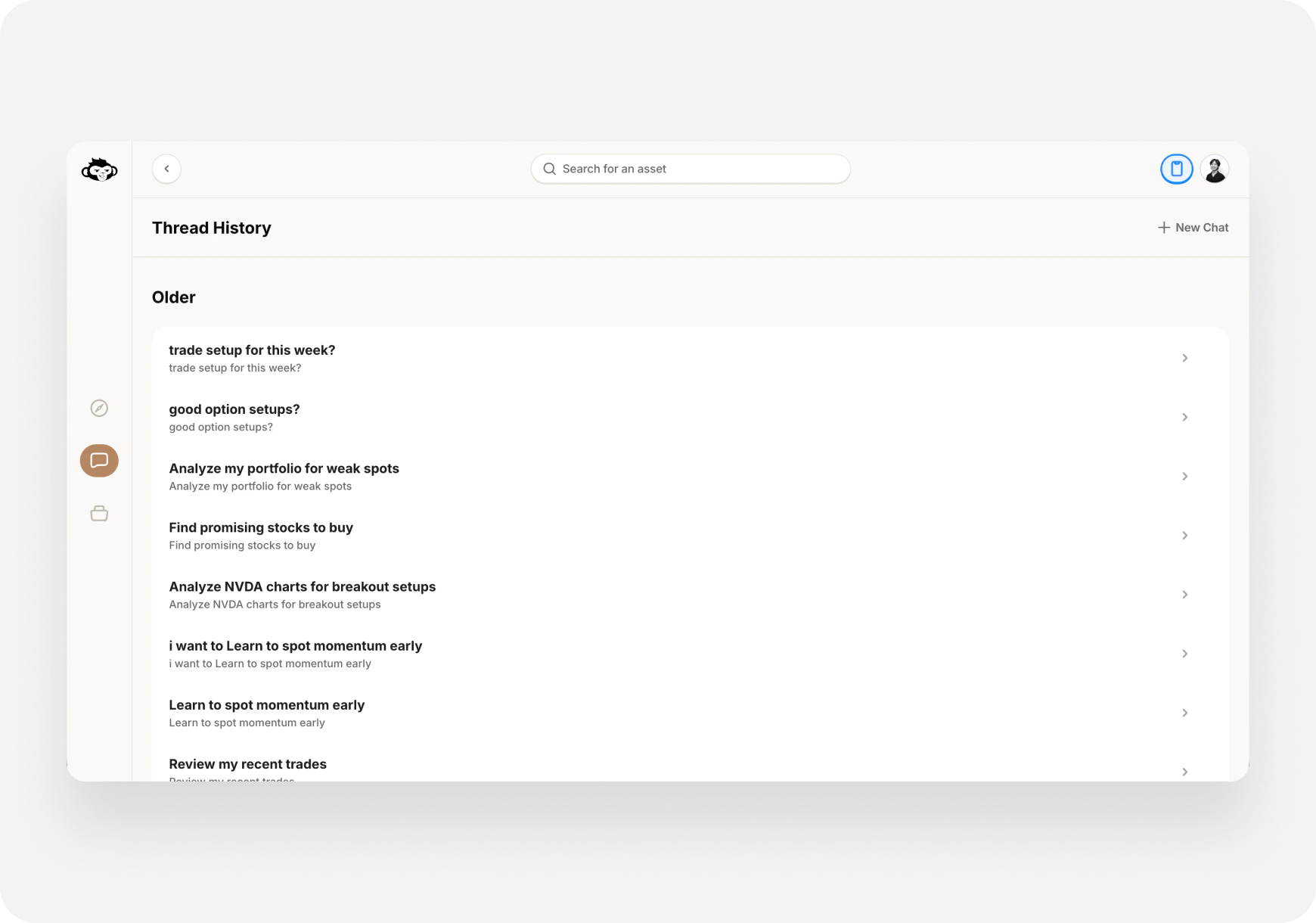
- Press Ctrl+H
- Or click History icon
-
Select conversation to continue
Start New Chat
- Fresh conversation, no context from previous
- Useful for switching topics
⚡ Keyboard Shortcuts (Web)
Make chatting faster on web:-
/- Focus search (find stock) -
Ctrl+P- Open prompts -
Ctrl+H- Chat history -
Enter- Send message -
Shift+Enter- New line (without sending) -
Esc- Close modals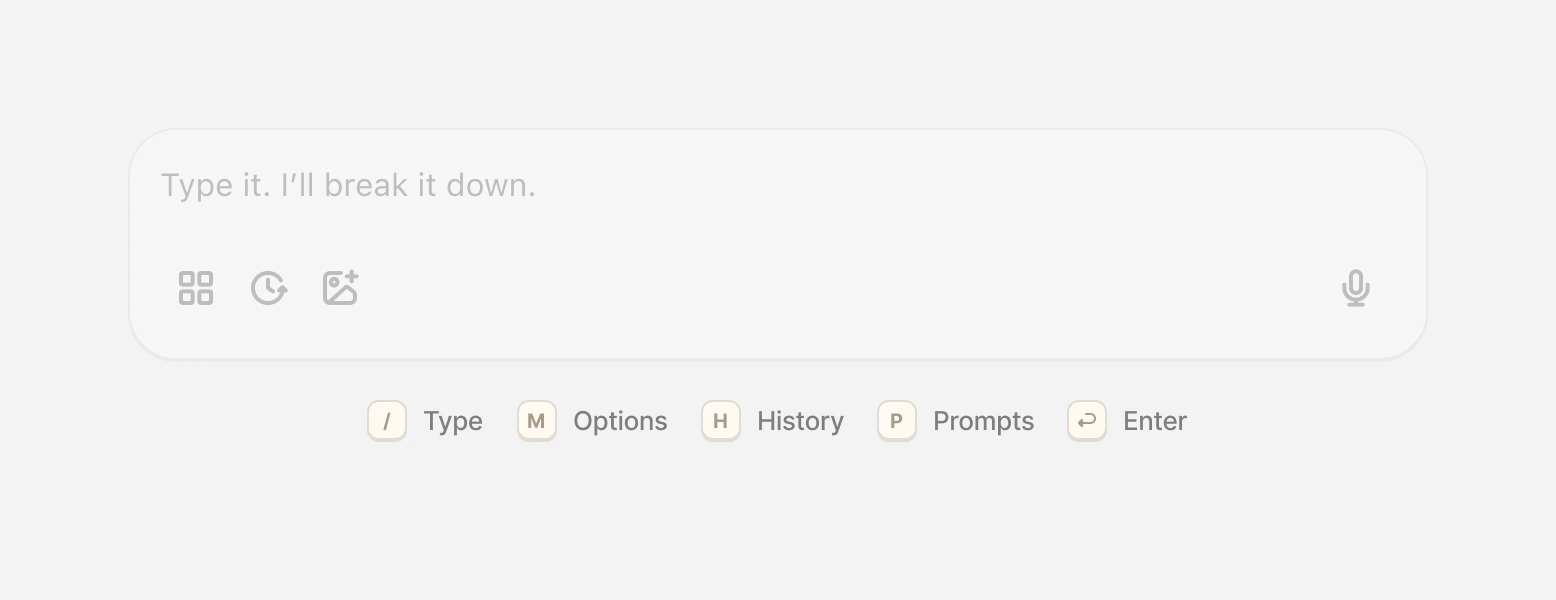
⚠️ What AI Can’t Do
AI is NOT:
❌ A magic crystal ball (can’t predict the future) ❌ 100% accurate (markets are unpredictable) ❌ Financial advice (you make final decisions) ❌ A replacement for your own researchAI CAN:
✅ Analyze data quickly ✅ Provide informed perspectives ✅ Find opportunities you might miss ✅ Explain complex concepts ✅ Help with strategy decisions Always do your own due diligence!🎯 Common Use Cases
Morning Routine
“What’s the market outlook today?” “Show me pre-market movers” “Any important news overnight?”Stock Research
“Analyze [ticker] for me” “Is [ticker] overvalued?” “What are the risks?”Trade Planning
“What’s a good entry for [ticker]?” “When should I take profits?” “Where should I set my stop loss?”Learning
“Explain [concept] to me” “How does [indicator] work?” “What’s the difference between [A] and [B]?”📚 Related Features
Quick Prompts
Pre-built questions for common scenarios. Learn more →Custom Prompts
Write your own prompts and save them. Learn more →Execute Trades from Chat
AI finds setups, you execute from chat. Learn more →Portfolio AI
AI specifically for portfolio questions. Learn more →❓ FAQ
Q: Is the AI always available? A: Yes! 24/7 access (though markets are only open Mon-Fri). Q: How fast are responses? A: Usually 3-10 seconds depending on complexity. Q: Can I ask unlimited questions? A: Depends on your plan. Super Ape = unlimited. Q: Does it remember past conversations? A: Within the same chat, yes. Access history anytime. Q: Can I chat in other languages? A: Currently English only. Q: Is my chat private? A: Yes, conversations are private to your account.What’s Next?
Explore Chat Features:- Quick Prompts → - Pre-built questions
- Custom Prompts → - Create your own
- Execute Trades → - Trade from chat
Your AI companion is ready. Just ask! 🤖🚀