

🎯 What Are Quick Prompts?
Quick Prompts are pre-written questions that you can use with one tap/click instead of typing everything out.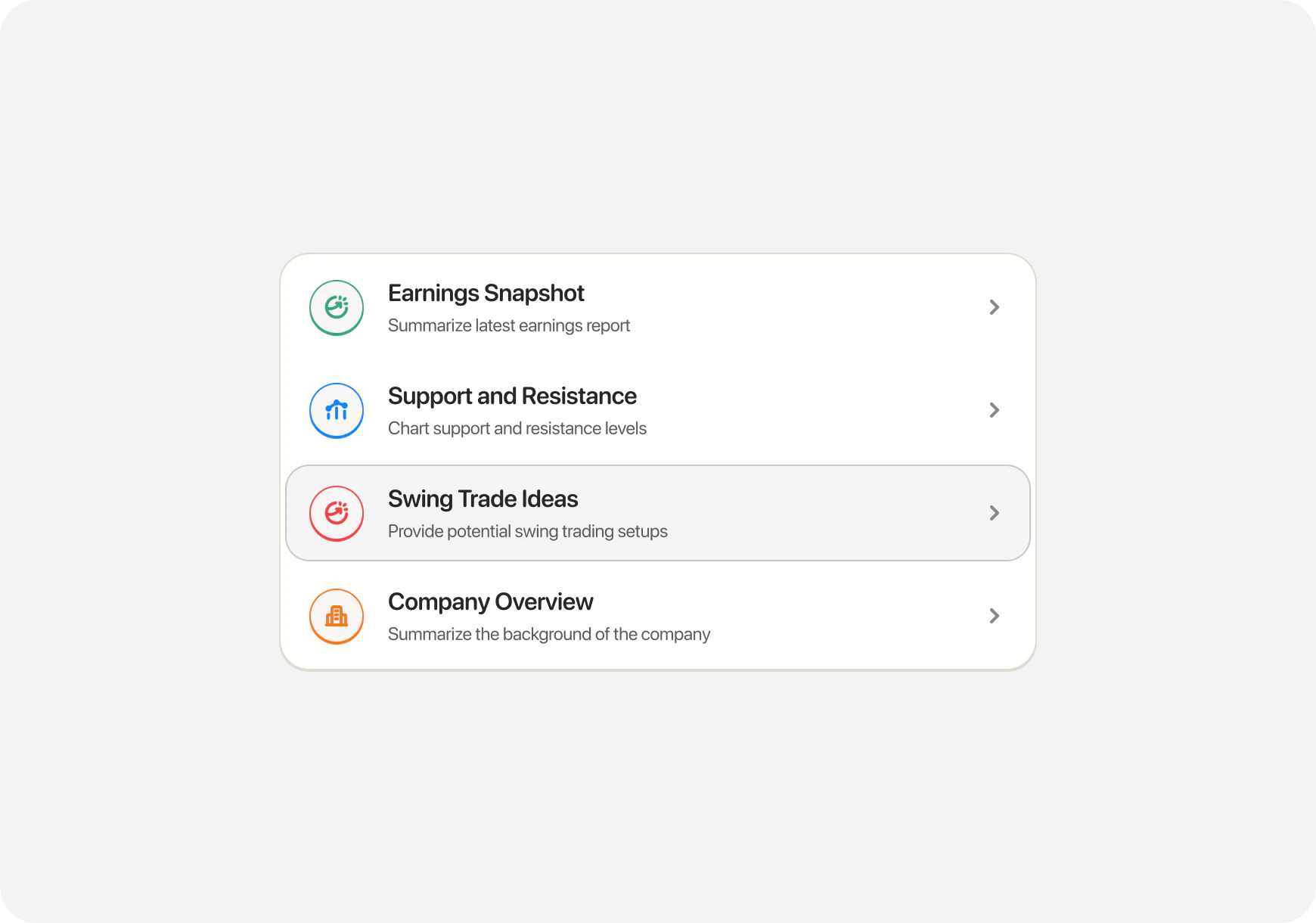
- Common questions
- Popular analysis requests
- Frequent trading scenarios
- Learning topics
- ⚡ Faster than typing
- ✅ Properly formatted questions
- 🎯 Get better AI responses
- 💡 Discover what you can ask
📱 Where to Find Quick Prompts
iOS (Two Ways)
Method 1: Quick Action Cards (Home Screen)- Open Chat tab
- See Quick Action cards at top
- Swipe left/right to see all options
- Tap a card to use it

- In Chat tab
- Tap Prompts icon (bottom toolbar)
- See full list of prompts
- Tap one to use

Web
Method 1: Prompts Icon- Open Chat page
- Click Prompts icon in chat interface
- Browse all prompts
- Click to use
- In Chat
- Press Ctrl+P
- Prompts menu opens
- Select with arrow keys or mouse
🚀 Featured Quick Prompts
1. Find Strong Catalyst Stocks 💥
What it does: Surfaces stocks with credible near‑term catalysts (earnings, guidance, product launches, upgrades, macro). AI provides:- List of tickers with catalysts and why they matter
- Directional context (bullish/bearish) and timeframe
- Entry zones and risk considerations
“5 catalyst candidates: NVDA (AI demand), AMD (new GPUs), UBER (profitability focus), SHOP (e‑comm seasonality), ABNB (travel bookings). Entry near support; confirm volume.”
2. Earnings Snapshot 📊
3. Major Support and Resistance 📈
What it does: Summarizes latest earnings report for a stock You’ll be asked: “Which ticker?” AI provides:- Revenue vs expectations
- EPS beat or miss
- Key highlights
- Stock reaction
- What it means for the stock
“NVDA Q3 earnings: Revenue $18.1B (expected $16.2B) - BEAT. EPS $4.02 vs $3.37 expected - BEAT. Data center revenue up 112% YoY. Guidance strong. Stock gapping up 8% pre-market.”
3. Major Support and Resistance 📈
What it does: Identifies key price levels for a stock You’ll be asked: “Which ticker?” AI provides:- Support levels (where stock bounces)
- Resistance levels (where stock gets rejected)
- Current price position
- Key zones to watch
“TSLA at $465. Support: $460 (strong), $450 (critical). Resistance: $470 (immediate), $485 (major). Currently testing $470. Break above = target $485. Break below $460 = bail.”
4. Pricey or Cheap 💰
What it does: Analyzes if a stock is overvalued or undervalued You’ll be asked: “Which ticker?” AI provides:- Valuation metrics (P/E, P/S, etc.)
- Comparison to industry average
- Historical valuation
- Fair value estimate
- Buy/wait/sell assessment
“TSLA valuation analysis: P/E 75 (vs industry 15)—pricey; fair value $380–420. Consider waiting for pullback or DCA.”
5. Options Expiring Before Earnings 📅
What it does: Finds stocks with near-term earnings + options expiring before AI provides:- List of stocks with upcoming earnings
- Options that expire BEFORE earnings
- Why this matters (IV crush)
- Potential strategies
“5 stocks with options expiring before earnings:
- AAPL - Earnings Nov 15, options exp Nov 10
- MSFT - Earnings Nov 20, options exp Nov 17 … Strategy: Sell options to capture IV premium before earnings announcement.”
📝 Complete List of Quick Prompts
Technical Analysis
- Major Support and Resistance - Key price levels
- Technical Analysis Report - Full chart analysis
- Identify Chart Patterns - Head & shoulders, triangles, etc.
- Momentum Indicators - RSI, MACD, momentum strength
Fundamental Analysis
- Earnings Snapshot - Latest earnings summary
- Fundamental Analysis Report - Complete fundamental review
- Pricey or Cheap - Valuation analysis
- Company Overview - Business model, financials
Options Trading
- Day Trade Options Setup - Intraday options plays
- Options Expiring Before Earnings - Pre-earnings option plays
- Options Strategy Suggestion - Best strategy for scenario
- Explain the Greeks - Delta, theta, gamma, vega
Trade Ideas
- Swing Trade Ideas - Multi-day setups
- Dividend Stock Finder - Quality dividend payers
- Undervalued Stock Screener - Value opportunities
- Momentum Stock Finder - Trending stocks
Risk Analysis
- Risk Assessment - What could go wrong
- Downside Scenarios - Bear case analysis
- Position Sizing - How much to invest
- Stop Loss Calculator - Where to set stops
Market Overview
- Today’s Market Recap - Daily market summary
- Sector Performance - Which sectors are hot
- Pre-Market Movers - Stocks moving before open
- After-Hours Activity - Post-market movers
🎭 Companion-Specific Prompts
Quick Prompts change based on your companion!Money Monty (Generalist) Sees:
- Find Strong Catalyst Stocks
- Swing Trade Ideas
- Pricey or Cheap
- Major Support & Resistance
- Momentum Stock Finder
Blitz (Day Trader) Sees:
- Day Trade Options Setup
- Major Support and Resistance
- Pre-Market Movers
- Breakout Scanner
- Intraday Momentum
Maverick (Momentum Trader) Sees:
- Swing Trade Ideas
- Multi-Day Setups
- Earnings Calendar
- Trend Strength
- Momentum Scanner
Sage (Long-Term) Sees:
- Fundamental Analysis Report
- Pricey or Cheap
- Dividend Stock Finder
- Undervalued Screener
- Company Quality Check
💡 How to Use Quick Prompts Effectively
1. Start Your Trading Day
Morning routine (Money Monty/Maverick):- “Today’s Market Recap” - Get market overview
- “Pre‑Market Movers” - See what’s gapping
- “Find Strong Catalyst Stocks” or “Swing Trade Ideas”
2. Research a Stock
When you find an interesting ticker:- “Earnings Snapshot” - Check latest earnings
- “Major Support and Resistance” - Get key levels
- “Pricey or Cheap” - Check valuation
3. Plan a Trade
Before entering:- “Technical Analysis Report” - Chart review
- “Risk Assessment” - Understand risks
- “Position Sizing” - How much to buy
4. Learn While You Trade
Educational prompts:- “Explain the Greeks” - Learn options
- “What is [concept]” - Understand terms
🔄 Follow-Up Questions
After using a prompt, you can ask follow-ups: Initial prompt: “Find Strong Catalyst Stocks” AI suggests: “NVDA (AI demand), UBER (profitability focus), SHOP (seasonality)” Follow-up questions:- “What’s the downside risk?”
- “Should I wait for a pullback?”
- “What if volume fades?”
- “Compare this to AMD”
📊 Real Example Workflow
Scenario: Morning prep for a generalist trader (Money Monty) Step 1: Use “Today’s Market Recap”AI: “Market modestly bullish. Tech leading; watch NVDA earnings after close.”Step 2: Use “Find Strong Catalyst Stocks”
AI: “NVDA (AI demand), UBER (profit focus), SHOP (seasonality).”Step 3: Open a ticker page and review Snapshot Grades Step 4: Use “Major Support and Resistance” on your top pick
AI: “Entry near support; confirm volume on break above resistance.”Step 5: If long‑term, run “Pricey or Cheap” for valuation context Step 6: Size the position and plan the trade Total time: ~5 minutes with Quick Prompts vs 30+ minutes manual research
💡 Pro Tips
1. Combine Prompts
Use multiple prompts for the same stock:- Earnings Snapshot
- Technical Analysis
- Pricey or Cheap
- Risk Assessment
2. Use Morning & Evening Prompts
Morning:- Today’s Market Recap
- Pre-Market Movers
- After-Hours Activity
- Tomorrow’s Earnings
3. Learn from Prompts
Don’t understand something in the response? Just ask: “Explain what [term] means”4. Explore All Categories
Try prompts outside your companion:- Blitz user? Try “Dividend Stock Finder”
- Sage user? Try “Day Trade Options Setup”
❓ FAQ
Q: Are Quick Prompts free? A: Included with your subscription (Super Ape required for full access). Q: Can I customize prompts? A: Not yet, but custom prompts are coming soon! Q: Do prompts work offline? A: No, requires internet connection for AI processing. Q: How often are new prompts added? A: Regularly! Check What’s New for updates. Q: Can I request new prompts? A: Yes! Contact support with suggestions.What’s Next?
Explore Chat Features:- Chat Basics → - How to use AI Chat
- Custom Prompts → - Create your own
- Execute Trades → - Trade from chat
- Premarket Routine → - Uses multiple prompts
- My First Stock Research → - Pricey or Cheap prompt
Quick Prompts = Your shortcut to smart trading. Tap once, get instant analysis! ⚡🚀