

👤 Accessing Your Profile
iOS
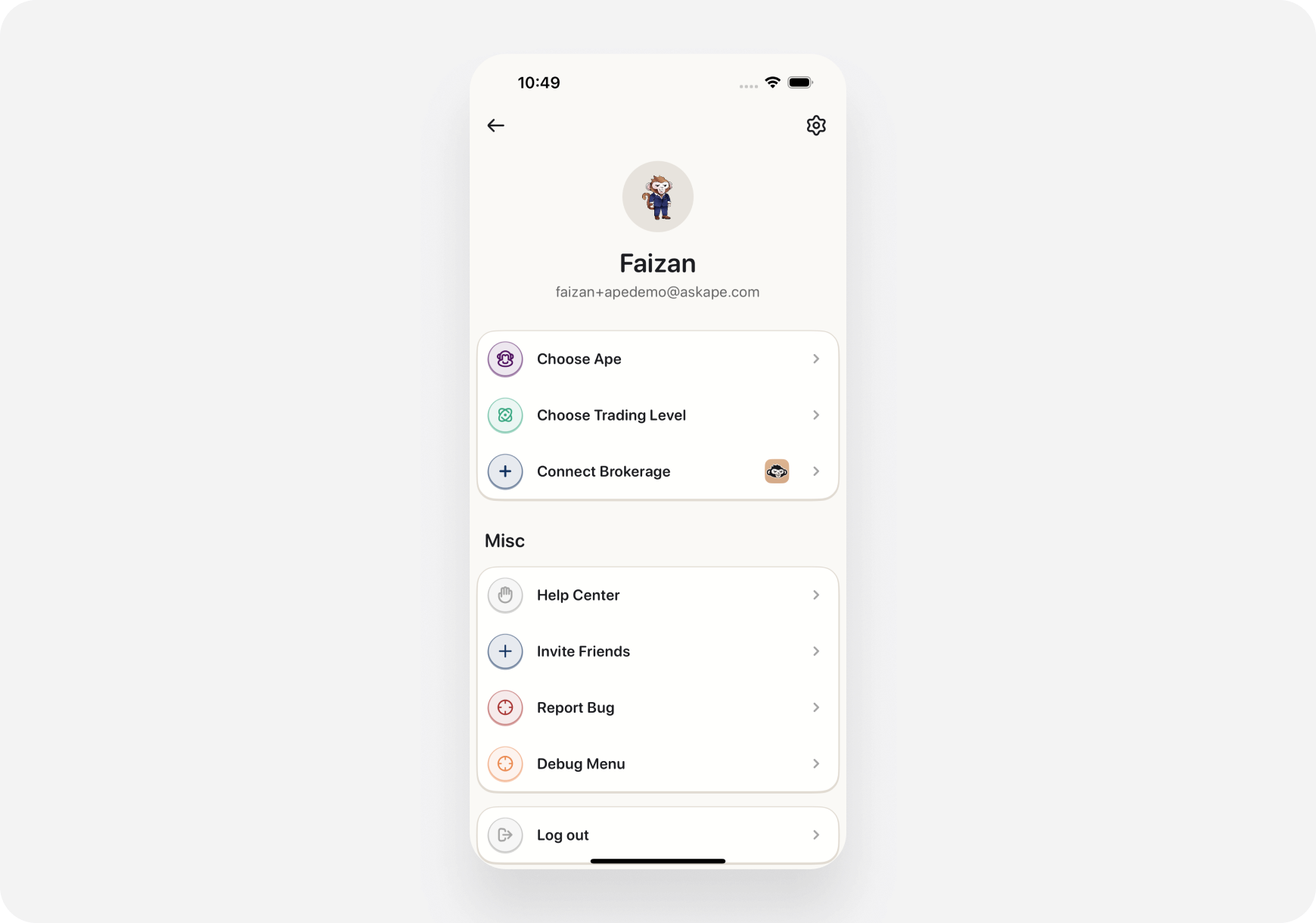
Tap Profile icon (top left of any screen) Shows:- Your name/email
- Subscription status
- Settings menu
- Brokerages
- Help & Support
Web
Click Profile icon (top right) Dropdown shows:- Account info
- Settings link
- Subscription
- Sign out
⚙️ Settings Sections
Account Settings
Personal Info:- Name
- Email address
- Password (change)
- Phone number (optional)
- Choose Ape (Blitz, Maverick, Sage)
- Change anytime
- Theme (Light/Dark mode)
- Language (English only for now)
- Time zone
Notification Settings
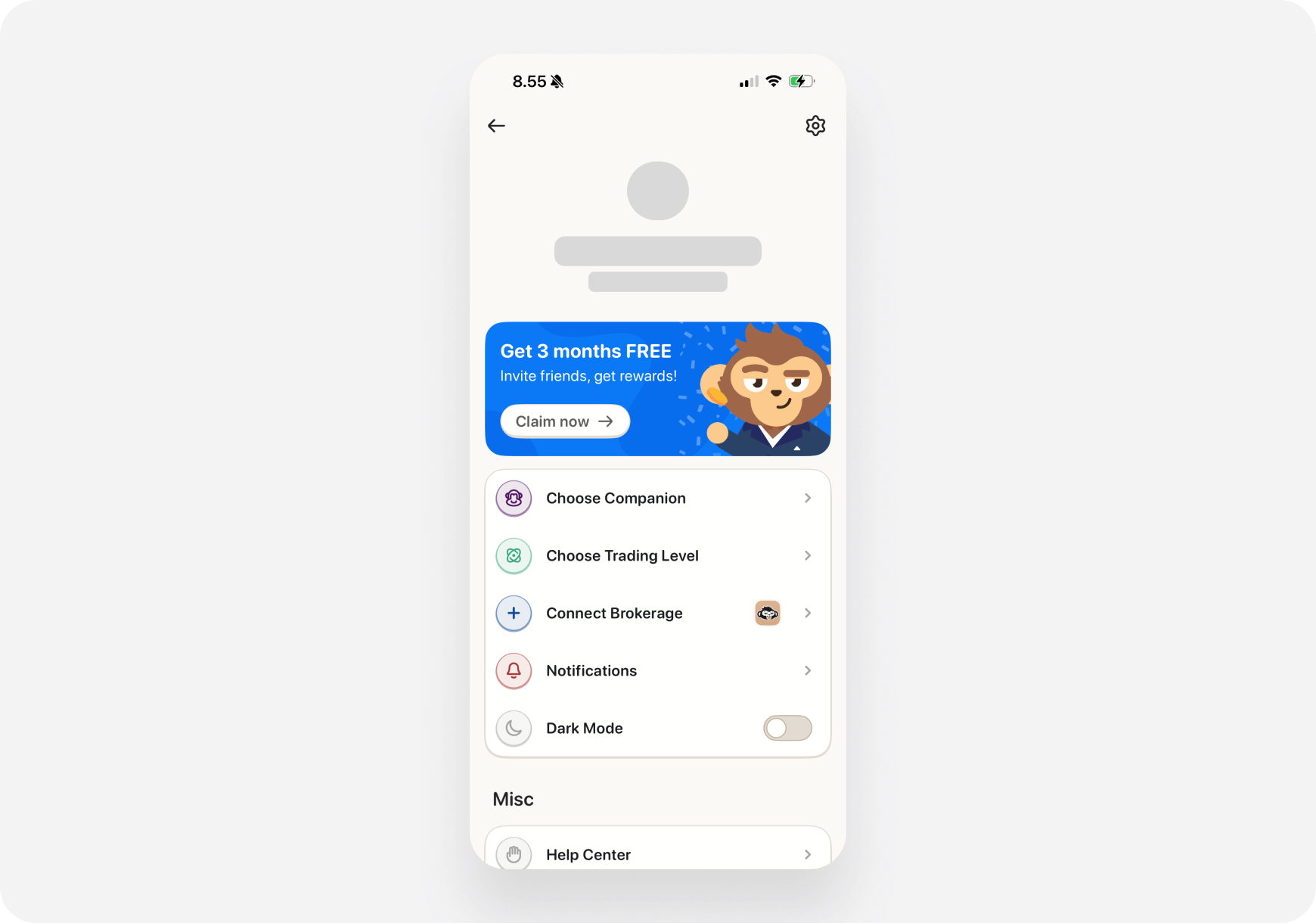
What you can control:- Portfolio Alerts - Price movements, holdings
- News Alerts - Breaking news for your stocks
- Daily Summary - Morning/evening notifications
- Trade Confirmations - Order fills
- Marketing - Product updates (opt out anytime)
- Push notifications (mobile)
-
Email
Privacy Settings
Control your data:- Portfolio Privacy - Hide $ amounts (show % only)
- Activity Privacy - Share trades with community (opt-in)
- Data Sharing - Marketing preferences
- Permanently delete (can’t be undone)
Connected Brokerages
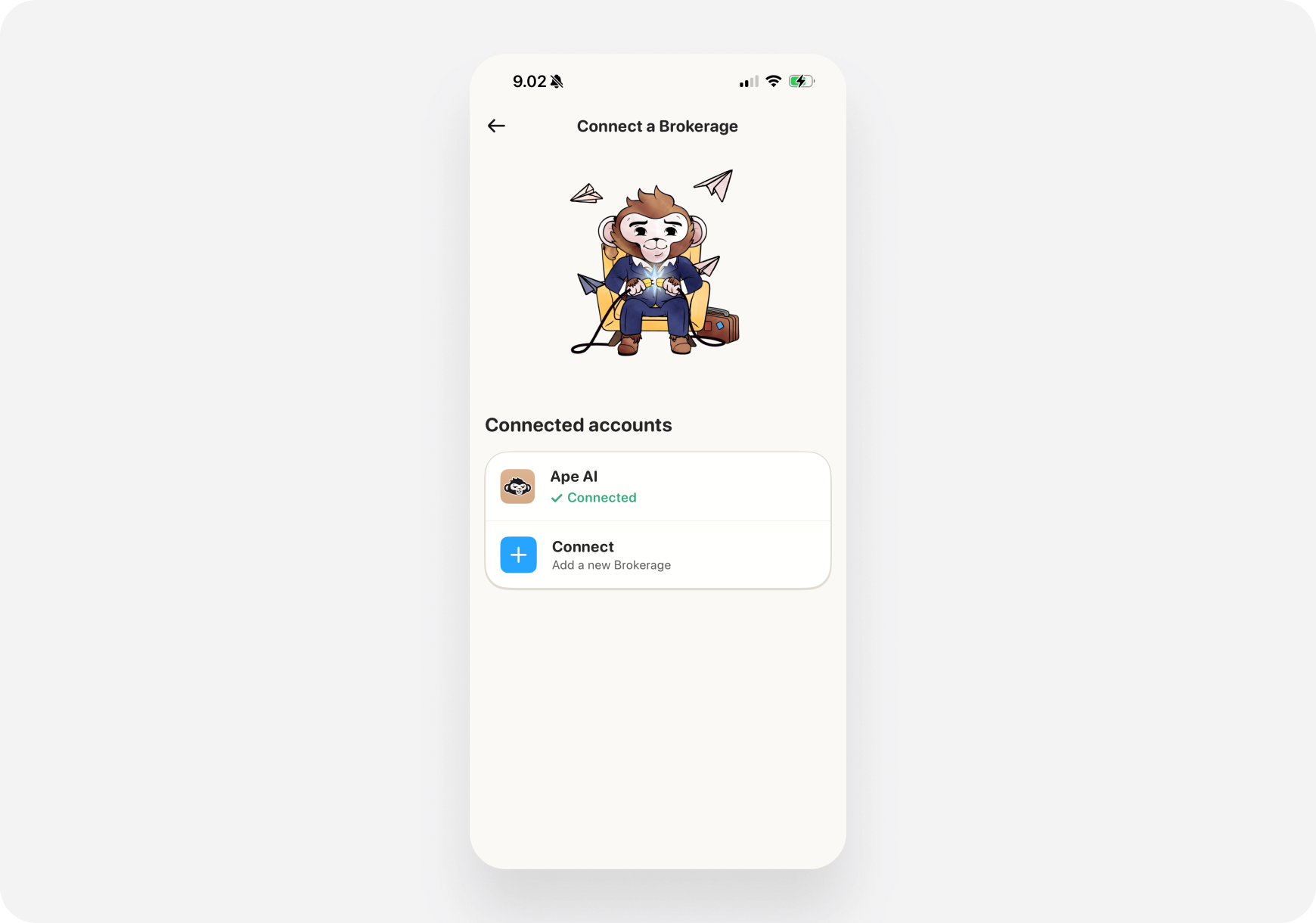
Manage connections:- View all connected accounts
- Reconnect if expired
- Enable/disable trading
-
Disconnect brokerages
Subscription
View/manage:- Current plan (Free, Pro, Super Ape)
- Billing info
- Payment method
- Upgrade/downgrade
- Cancel subscription
💡 Pro Tips
1. Enable Portfolio Alerts- Get notified of big moves
- Never miss important changes
- Morning brief: 8 AM
- Evening wrap: 5 PM
- Match your schedule
- Take screenshots? Enable privacy mode
- Hides dollar amounts
- For security alerts
- Password resets
- Important notifications
🔒 Security
Two-Factor Authentication (2FA)
- Enable for security
- Use authenticator app
- Protects your account
Active Sessions
- See where you’re logged in
- Log out remotely
- Security monitoring
Password Tips
- Use strong, unique password
- Change regularly
- Don’t share with anyone
❓ FAQ
Q: Can I have multiple companions? A: One at a time. Switch anytime in Settings → Choose Ape. Q: What happens if I change my email? A: Verification required. Takes 1 minute. Q: Can I delete my account? A: Yes. Settings → Privacy → Delete Account. Permanent! Q: How do I export my data? A: Settings → Privacy → Export Data. Coming soon!What’s Next?
- Subscription Plans → - Upgrade options
- Brokerages → - Connect accounts
Profile = Your Account Command Center! ⚙️👤